
FOX5 Vegas - Las Vegas News
Gray MediaNews & Magazines
2.9619.00 Reviews
- Version
- Varies With Device
- Installs
- 100.00K
- Age Rating
- Everyone
Screenshots



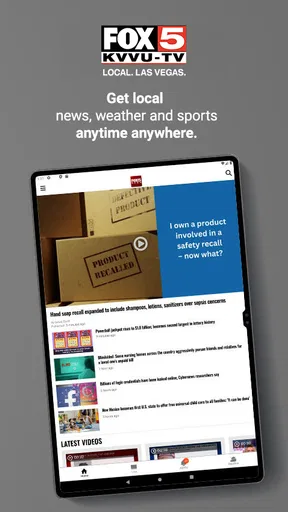
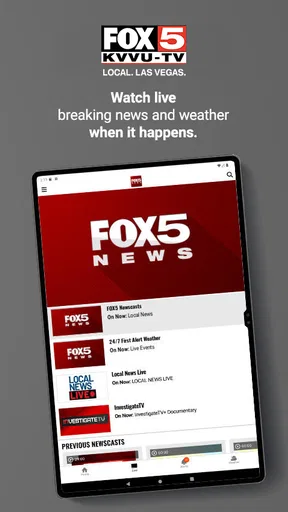


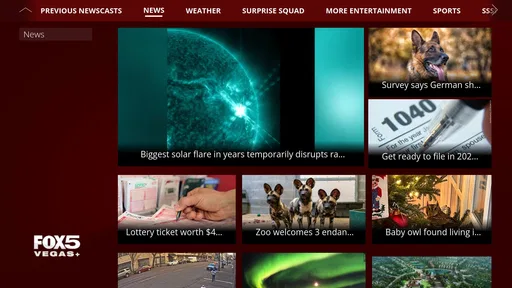
Our Review of FOX5 Vegas - Las Vegas News
 Analysis by Appyee
I installed FOX5 Vegas expecting a straightforward way to keep up with Las Vegas, and that is exactly the role it tries to fill: a local news app from Gray Media for people who want city and nearby-area coverage without opening a general national news service first. It is free, rated for Everyone, and sits in the News & Magazines category. My overall impression is mixed but useful. The app can be convenient when I want a quick local check, yet the modest 2.9 average from around 1.8 thousand ratings suggests that the experience has not been equally smooth for everyone.
The important distinction is that this is not simply a replacement for every news source on my phone. Its value depends on how much I care about Las Vegas-specific reporting and how tolerant I am of occasional app friction. If I lived in the area, visited often, or needed a local perspective during a developing story, I would give it a place in my routine. If I wanted a polished national news reader, a broad newspaper app, or a single feed combining many publishers, I would look elsewhere.
Getting past the first points of friction
I find the first hurdles easier to handle when I treat them as a check of the whole setup, not just the app: connection, phone settings, and the way a particular story loads can each affect the experience. That small bit of patience helps me decide whether FOX5 Vegas fits my routine before I rely on it for a quick local update. Once those basics are clear, the more useful question is how to make the app work smoothly day to day.
What I check before blaming the app
The first useful habit is to separate three different problems: the app opening, the news feed loading, and the individual story displaying correctly. They can feel like one failure, but they are not always caused by the same thing. When I test a local news app, I first close and reopen it, then try another connection. A weak mobile signal can make a story appear broken even when the app itself is working normally.
I also check whether other apps can reach the internet. If a browser or another news service is struggling at the same time, FOX5 Vegas may only be showing the wider connection problem. Switching between Wi-Fi and mobile data is a simple comparison that often tells me more than repeatedly tapping the same screen. I avoid judging the app during a brief network interruption, especially when I am checking it in a crowded place or while travelling.
Another practical check is storage and device responsiveness. A phone that is nearly full or already struggling with several open apps may make any news reader feel slow. Restarting the phone, closing unused apps, and trying again are sensible first steps. I prefer these low-risk checks before removing the app, because an uninstall can erase local settings and does not necessarily solve a network or device issue.
Since the app has been available since August 6, 2012, it has had a long presence on mobile platforms. That does not automatically mean every current phone will behave identically with it. Operating-system updates, manufacturer battery controls, and changing network conditions can all affect an older, established app. I would therefore judge it on the current experience on my own device rather than assume that its long history guarantees perfect compatibility.
Setup choices that make daily use easier
During setup, I take a moment to read each system prompt instead of approving everything automatically. News apps can be useful without becoming the center of my phone activity, so I decide whether I want alerts based on how I actually consume local news. If I am checking headlines only once or twice a day, constant interruptions may be more annoying than helpful. If I follow weather, traffic, or a developing local event closely, timely alerts may be more valuable.
I also make sure the app is installed from the official app marketplace and that the developer shown there is Gray Media. That small check matters when several similarly named news products appear in search results. I would not rely on a copied icon or an unofficial download, particularly for an app intended to deliver current information.
After opening the app, I spend a few minutes learning its normal loading behavior before deciding something is wrong. I look for whether headlines appear gradually, whether a story opens in the app, and whether returning to the main feed restores the same position. These observations create a baseline. Without one, I can mistake a temporary delay for a permanent defect or assume that a feature is missing when it is simply located elsewhere in the interface.
A useful setup tip is to test the app at home and away from home. Local news is often most useful when I am moving around Las Vegas, commuting, or making plans, so a setup that works only on one Wi-Fi network is not enough. If it works on Wi-Fi but not mobile data, I would inspect the phone’s data settings and any system-level restrictions before concluding that the app is at fault.
Recovering a stuck feed without losing the thread
When a feed seems frozen, I use a short recovery sequence rather than repeating the same gesture. I leave the current screen, reopen the app, and try a different story or section if one is available. If only one article fails while other content loads, that points toward a problem with that particular item or its connection rather than the entire application.
If the whole app remains unresponsive, I force-close it through the phone’s normal app controls and launch it again. I then check for an update in the official marketplace. Updates can resolve compatibility issues, but I do not assume that every update will improve every device. I read the current behavior after updating and keep note of whether the problem is repeatable.
Clearing temporary app data can sometimes help with a damaged local cache, but I treat that as a later step because it may remove saved preferences or require me to go through setup again. I do not clear storage casually. Before doing so, I make sure I can remember any choices I made and that I am comfortable rebuilding them. This is especially important if I have configured alerts or other personal settings.
For a story I need immediately, I use a backup route rather than waiting indefinitely. I might check the broadcaster’s other official channel or a trusted local source, then return to the app later. That is not a criticism of the reporting itself; it is a practical way to avoid depending on one mobile interface during a time-sensitive event. A local news app should be part of my information routine, not the only place I can verify what is happening.
I also avoid repeatedly refreshing during a major breaking story. Many people checking the same event at once can make any online service feel delayed. Reopening the app once, waiting briefly, and checking again is more useful than tapping refresh continuously. If the same failure happens across several attempts and networks, I record what I saw, including the affected screen and approximate time, before contacting support through the channel available in the app marketplace.
When the app is not the real cause
News content changes quickly, and that creates a special kind of confusion. A headline may be updated, moved, or replaced as a story develops. If I return to a previously seen item and it looks different, that does not necessarily indicate a malfunction. I compare the current headline, timestamp information shown in the app, and the surrounding coverage before treating the change as an error.
Location can also affect expectations. FOX5 Vegas is designed around Las Vegas and nearby news, so someone in another state should not expect the same relevance as a local resident. The app may still be useful for someone following the area remotely, but it is not meant to behave like a national news service with equal coverage of every city. That focus is a strength for local readers and a limitation for people seeking wider geographic variety.
My phone’s notification settings can create another false diagnosis. If alerts do not appear, I check the app’s notification permission and the operating system’s battery or focus controls. If alerts appear too often, I review those same controls and the app’s available preferences rather than deleting it immediately. Notifications are shaped by both the app and the phone, so changing one layer may not be enough.
Time and place matter when judging performance. A feed that loads quickly on a strong home connection may behave differently underground, in a large venue, or during travel. I do not expect a local news app to overcome a dead zone. Instead, I check whether ordinary phone connectivity is working in the same location and whether the problem disappears after moving somewhere with a stronger signal.
There is also a difference between a content preference and a technical complaint. I may dislike the order of headlines, want more national coverage, or prefer a different writing style. Those are valid reasons to choose another service, but they are not evidence that FOX5 Vegas is broken. Being clear about that distinction helps me decide whether troubleshooting is worthwhile or whether the app simply does not match my needs.
How I fit it into a realistic routine
My most practical use case is a short morning check. I open the app before leaving, scan the main local headlines, and decide whether anything affects my route or plans. I do not try to read every story. Instead, I use it as a local filter: if a headline matters, I open the full item; if not, I move on. This keeps the app useful without turning a quick check into an endless scroll.
For visitors, the workflow is slightly different. I would use it before a day of sightseeing or a drive around the area, especially when local developments may change plans. I would still pair it with a mapping service and, when relevant, official emergency information. A news app can provide context and reporting, but it should not replace direct instructions from authorities during an emergency.
For residents, the strongest routine is probably selective rather than constant. I would enable only the alerts that genuinely help me, then use the app for a fuller local check when I have time. If I receive an alert while busy, I can save the topic mentally and return later instead of interrupting every task. This approach reduces notification fatigue and makes the important messages easier to notice.
One non-obvious trade-off is that local focus can make the app feel more useful during a Las Vegas story and less useful on an ordinary national news day. That is not a flaw to solve; it is the reason to keep another source nearby. I see FOX5 Vegas as a specialist tool for local awareness, not as my complete news diet.
How it compares with the usual alternatives
Compared with a national news app, this one offers a narrower lens. That narrower lens is exactly what I want when the question is “what is happening around Las Vegas?” A national service may give me more international context and broader topic coverage, but it can bury local developments among stories that do not affect my day.
Compared with a newspaper app, FOX5 Vegas may feel more immediate for broadcast-oriented local coverage, while a newspaper may suit readers who prefer deeper written analysis, archives, or a slower reading experience. I would choose between them based on the kind of attention I have available. For a quick local scan, the broadcaster’s app makes sense; for long-form reading, another source may be better.
Compared with social media, the app gives me a more focused starting point and less dependence on whatever happens to appear in a personal feed. Social platforms can surface eyewitness material quickly, but they can also mix rumor, commentary, and unrelated posts. I would use social media to discover what people are discussing, then use a more direct news source to understand the reported story.
The app’s free price lowers the barrier to trying it, and its Everyone content rating makes it suitable for a broad household audience. Those details do not guarantee that every story will interest every reader, but they make it easy to test without committing to a subscription. With over one hundred thousand installs, it is clearly reaching a meaningful audience, although its average rating shows that reach should not be confused with universal satisfaction.
Who should use it and who should skip it
I would recommend trying it if you live in Las Vegas, regularly visit the area, or have family and responsibilities there. It is also a sensible companion for someone who wants a local source beside a national news app. The best fit is a reader who values relevance over breadth and is willing to perform a few basic checks when a feed or alert does not behave as expected.
I would be more cautious if I need a single app for international news, business coverage, specialist topics, and local reporting all at once. FOX5 Vegas is too geographically focused for that job. I would also skip it if I dislike managing notifications, do not want to troubleshoot occasional loading friction, or expect every news source to provide the same depth and range as a full newspaper platform.
The rating of 2.9 from roughly 1.8 thousand ratings is an important part of my decision. I would not ignore that signal, but I would interpret it alongside my own use case. A person who needs only a local headline check may tolerate issues that frustrate someone who reads long articles throughout the day. The app’s roughly 619 written reviews also suggest there is enough user feedback to warrant checking current comments before making a final decision.
My practical verdict after using it
FOX5 Vegas is a focused local news app rather than an all-purpose information hub. I like the directness of opening one place for Las Vegas coverage, and I can see it becoming part of a resident’s morning or evening routine. The free access and broad age rating make experimenting easy, while the long availability from Gray Media gives it a recognizable local purpose.
My recommendation comes with a clear condition: install it for local relevance, not for a flawless replacement for every other news source. If a feed stalls, I first test the connection, restart the app, check for updates, and distinguish a single failed story from a wider outage. If the same problem continues, I use a trusted backup source and decide whether the inconvenience is occasional or fundamental.
The best reason to keep this app is its local focus; the best reason to remove it is a mismatch between that focus and your everyday news needs. For Las Vegas residents and regular visitors, I think it is worth trying as one part of a balanced routine. For readers who want national breadth, deep analysis, or a highly polished aggregator, another option will probably serve them better.
Verdict
Strengths of FOX5 Vegas - Las Vegas News
- Fast updates on breaking news across Las Vegas and Southern Nevada.
- Useful weather forecasts, radar, and alerts for changing desert conditions.
- Live video coverage helps users follow major events as they happen.
- Local traffic and road reports support daily commuting decisions.
- News categories make it easy to browse sports, crime, and community stories.
Limitations of FOX5 Vegas - Las Vegas News
- Some alerts may feel frequent or repetitive during major news events.
- Video playback can use significant mobile data without Wi-Fi.
- Advertising may interrupt browsing and reduce reading comfort.
- Coverage is primarily regional, limiting value outside the Las Vegas area.
- Some stories may require scrolling through brief summaries for full context.
Other Releases by Gray Media
View All
KY3 Weather
Weather4.6

Telemundo Atlanta
News & Magazines4.3

WAFF 48 First Alert Weather
Weather4.6

FOX 8 Weather
Weather4.7
Similar Picks in This Category
View All
Google News - Daily Headlines
Google LLC4.0

X
X Corp.4.8

Flipboard:Your Social Magazine
Flipboard3.4

Opera News: breaking & local
Opera4.5

Hindi News by Dainik Bhaskar
Dainik Bhaskar Group4.0

Way2News Daily News App
Way2News ( Formerly Way2SMS )4.6
Frequently Asked Questions
What is FOX5 Vegas – Las Vegas News?
FOX5 Vegas – Las Vegas News is a local news app focused on the Las Vegas area and surrounding communities. It typically provides breaking news, weather updates, traffic information, investigative reports, entertainment coverage, sports, and video clips from the FOX5 KVVU-TV newsroom. It is designed for users who want quick access to regional headlines and live or on-demand local coverage.
What type of news and information can I find in the app?
The app generally covers the topics most relevant to Southern Nevada residents and visitors, including local crime and public safety, politics, community events, road conditions, casino and tourism developments, entertainment, sports, health, and weather. Content can change throughout the day as stories develop, so users may receive updated articles, video reports, alerts, and special coverage of major Las Vegas events.
Does FOX5 Vegas provide weather forecasts and severe weather alerts?
Yes, weather is one of the app’s key features. Users can usually check current conditions, hourly forecasts, extended forecasts, radar imagery, and video updates from the FOX5 weather team. Depending on location permissions and notification settings, the app may also send alerts about significant weather conditions or other urgent local developments. Forecast availability and alert timing may vary.
Can I watch live news or FOX5 Vegas video reports in the app?
The app commonly includes video reports, news clips, interviews, and other content from FOX5 Vegas. Live streaming availability may depend on the station’s schedule, your location, internet connection, and any access requirements imposed by the broadcaster or platform. Some programming may be available on demand rather than continuously live, so users should check the app’s video or live sections for current options.
Is FOX5 Vegas – Las Vegas News free to download and use?
The app is generally available to download at no initial cost, allowing users to browse local news, weather, and other coverage. However, it may contain advertising, and certain features—such as live video, personalized notifications, or content from external services—can depend on network access, device permissions, or broadcaster policies. Mobile data charges may also apply when using video or live streams away from Wi-Fi.
